Rank Math SEO: A Complete Guide for Beginners (Updated February 2026)
Rank Math has emerged as a leading SEO plugin for WordPress, offering a suite of features designed to boost your website’s search engine rankings. For beginners, the world of SEO can seem daunting, but Rank Math simplifies the process with its user-friendly interface and automated tools.
Why is SEO so important? Quite simply, it determines how visible your website is to potential customers searching online. Higher rankings translate to more traffic, leads, and ultimately, conversions. Rank Math helps you achieve these higher rankings by optimizing your content, managing your website’s structure, and providing valuable insights into your SEO performance.
Here’s a quick overview of what Rank Math offers:
- Keyword Optimization: Easily optimize your posts and pages for target keywords.
- SEO Audits: Identify and fix SEO issues on your website.
- Schema Markup: Implement structured data to enhance your search engine results.
- Rank Tracking: Monitor your keyword rankings over time.
- Integration with Google Search Console: Seamlessly connect with Google’s webmaster tools.
This guide will walk you through the essential steps of using Rank Math, from installation to advanced configuration. We’ll cover everything you need to know to improve your website’s SEO and drive more organic traffic. As experts in ai seo and wordpress seo plugin solutions, SEOS7 understands the importance of a streamlined SEO process, and Rank Math provides just that.
Installing Rank Math
The first step is, of course, installing the plugin. Here’s how:
- From your WordPress dashboard, go to “Plugins” then “Add New.”
- Search for “Rank Math.”
- Click “Install Now” and then “Activate.”
Once activated, Rank Math will guide you through a setup wizard to configure the plugin based on your website’s specific needs.
Configuring Rank Math: The Setup Wizard
The setup wizard is designed to make the initial configuration process as easy as possible. Here’s what you can expect:
- Account Connection: Connect your Rank Math account (free or paid).
- Website Type: Specify the type of website you have (blog, business, etc.).
- Google Search Console: Connect to Google Search Console for data and insights.
- Sitemap Settings: Configure your website’s sitemap.
- Optimization Tweaks: Enable recommended SEO tweaks.
Pay close attention to each step, as these initial settings will impact your website’s SEO performance. SEOS7 recommends reviewing these settings periodically to ensure they align with your evolving SEO strategy.
Using Rank Math’s Key Features
Rank Math offers a wide range of features to help you optimize your website for search engines. Let’s take a look at some of the most important ones:
Content Optimization
When creating or editing a post or page, Rank Math provides a comprehensive SEO analysis directly within the WordPress editor. This includes:
- Keyword Density: Checks if your target keyword appears frequently enough in your content.
- Readability Analysis: Assesses the readability of your content and provides suggestions for improvement.
- Link Analysis: Checks for internal and external links.
- Title and Meta Description Optimization: Helps you craft compelling titles and meta descriptions that attract clicks.
Schema Markup
Schema markup helps search engines understand the context of your content. Rank Math makes it easy to implement schema markup with a built-in schema generator. You can choose from a variety of schema types, such as article, product, event, and more.
SEO Analysis
Rank Math’s SEO Analysis tool provides a comprehensive audit of your website’s SEO performance. It identifies potential issues and provides recommendations for improvement. Regularly running this analysis can help you stay on top of your SEO and ensure your website is optimized for search engines.
Mastering Rank Math is a crucial step in improving your website’s SEO. However, for a truly autonomous and hands-free approach to WordPress SEO, consider exploring SEOS7 Autonomous SEO agent for WordPress. It’s the future of SEO, simplified.
What is Rank Math?
Rank Math is a powerful and versatile WordPress SEO plugin designed to simplify and automate website optimization for search engines. It’s essentially your all-in-one toolkit for improving your site’s visibility and attracting more organic traffic.
Its primary purpose is to guide users through the often-complex world of SEO, providing actionable insights and tools to optimize content, manage technical SEO aspects, and track performance. Think of it as your SEO co-pilot, helping you navigate the ever-changing landscape of search engine algorithms.
Key features of Rank Math include:
- Content Optimization: Real-time analysis and suggestions for improving your content’s SEO score.
- Schema Markup: Easy implementation of structured data to enhance search engine understanding.
- Keyword Tracking: Monitor your keyword rankings and identify opportunities for improvement.
- SEO Audits: Comprehensive website audits to identify and fix SEO issues.
- XML Sitemap Generation: Automatic sitemap creation and submission to search engines.
- Integration with Google Search Console: Seamless connection for data and insights.
How does Rank Math compare to other SEO plugins? While options like Yoast SEO exist, Rank Math distinguishes itself with its comprehensive feature set, user-friendly interface, and focus on automation. Many features that are premium add-ons in other plugins are available for free in Rank Math. According to SEOS7, experts in ai seo, this makes it a particularly attractive option for users looking to maximize their SEO efforts without breaking the bank. Its approach to wordpress seo plugin functionality is comprehensive.
In essence, Rank Math empowers website owners, regardless of their technical expertise, to take control of their SEO and achieve better search engine rankings. For those seeking a more advanced and hands-off solution, consider how SEOS7 Autonomous SEO agent for WordPress can further streamline your SEO efforts.
Why Choose Rank Math?
So, why should you specifically choose Rank Math over the plethora of other SEO plugins available? The answer lies in its unique combination of user-friendliness, comprehensive features, and generous free offering.
Let’s break it down:
- User-Friendly Interface: Rank Math boasts an intuitive interface, making it easy for beginners to navigate and understand even complex SEO concepts. No more getting lost in a maze of settings!
- Comprehensive Features: From keyword optimization to schema markup, Rank Math offers a wide range of features to cover all aspects of your website’s SEO. Many of these features are only available as premium add-ons in other plugins.
- Free Availability: Yes, you read that right! Rank Math offers a robust free version that includes many of the features you need to get started with SEO. This makes it an excellent choice for budget-conscious website owners.
Rank Math helps improve website rankings and traffic by:
- Providing actionable insights and recommendations for optimizing your content.
- Helping you implement structured data to enhance search engine understanding.
- Monitoring your keyword rankings and identifying opportunities for improvement.
- Automating many of the tedious tasks associated with SEO.
According to SEOS7, experts in ai seo, Rank Math simplifies the process of optimizing your website for search engines, allowing you to focus on creating high-quality content and engaging with your audience. It is a solid choice for a wordpress seo plugin.
In short, Rank Math empowers you to take control of your SEO and achieve better results. While Rank Math offers excellent control, remember that for a truly hands-off experience, SEOS7 Autonomous SEO agent for WordPress offers a cutting-edge solution.
Installing Rank Math: A Step-by-Step Guide
Ready to get Rank Math installed? Here’s a detailed, step-by-step guide to get you started. SEOS7, experts in ai seo, recommends following these steps carefully to ensure a smooth installation.
- Log in to Your WordPress Dashboard: Access your WordPress admin area by entering your username and password.
- Navigate to the Plugins Section: In the left-hand menu, hover over “Plugins” and click on “Add New.”
- Search for Rank Math: In the search bar, type “Rank Math.” You should see the Rank Math SEO plugin appear in the search results.
- Install the Plugin: Click the “Install Now” button next to the Rank Math SEO plugin. WordPress will download and install the plugin files.
- Activate the Plugin: Once the installation is complete, the “Install Now” button will change to “Activate.” Click the “Activate” button to activate the Rank Math SEO plugin.
Alternatively, you can install Rank Math manually:
- Download the Plugin: Download the Rank Math plugin from the WordPress plugin repository (wordpress.org) or the Rank Math website.
- Upload the Plugin: In your WordPress dashboard, go to “Plugins” then “Add New.” Click the “Upload Plugin” button at the top of the page.
- Choose the Plugin File: Click the “Choose File” button and select the Rank Math plugin zip file that you downloaded.
- Install Now: Click the “Install Now” button.
- Activate the Plugin: Once the installation is complete, click the “Activate Plugin” link.
Compatibility and Requirements:
- WordPress 5.6 or higher is recommended.
- PHP 7.0 or higher is required.
- Ensure your WordPress theme is compatible with plugins. Most modern themes are, but it’s always good to check.
Once activated, Rank Math will initiate a setup wizard to guide you through the initial configuration. This wizard is crucial for setting up the plugin correctly for your specific website. Remember, a well-configured wordpress seo plugin like Rank Math is essential for effective SEO.
For those looking for a more hands-off approach to SEO, consider exploring SEOS7 Autonomous SEO agent for WordPress after you’ve familiarized yourself with Rank Math’s features.
Configuring Rank Math: The Setup Wizard
After installing Rank Math, the Setup Wizard is your next crucial step. It guides you through configuring essential settings, ensuring Rank Math works optimally for your website. SEOS7, experts in ai seo, emphasizes the importance of carefully reviewing each step.
Here’s a breakdown of what to expect:
- Connect Your Rank Math Account: You’ll be prompted to connect or create a Rank Math account. A free account is sufficient for most users, unlocking access to features and updates.
- Choose Your Website Category: Select the category that best describes your website (e.g., Blog, Online Store, Business). This helps Rank Math tailor its recommendations.
- Select Your Website Type: Specify the type of website you have (Blog, News Site, E-commerce, etc.).
- Import Data (Optional): If you’re migrating from another SEO plugin like Yoast SEO, Rank Math can import your existing settings.
- Configure Basic Settings: This is where you’ll set up essential SEO elements.
Setup Wizard Modes: Easy vs. Advanced
Rank Math offers two modes for the Setup Wizard:
- Easy Mode: A simplified setup process with pre-selected settings suitable for beginners.
- Advanced Mode: Provides more granular control over settings, ideal for experienced users or those with specific SEO requirements.
Even if you choose Easy Mode initially, you can always switch to Advanced Mode later to fine-tune your settings. SEOS7, specializing in wordpress seo plugin solutions, recommends starting with Easy Mode if you’re new to SEO and then exploring Advanced Mode as you become more comfortable.
Key Settings in the Setup Wizard
Regardless of the mode you choose, pay attention to these key settings:
- Website Information: Enter your website name, logo, and default social share image.
- Google Search Console: Connect your Google Search Console account to track your website’s performance in search results.
- Sitemaps: Enable sitemap generation and configure which content types to include.
- Optimization Tweaks: Enable recommended SEO tweaks, such as noindex empty category and tag archives.
Properly configuring these settings is crucial for maximizing Rank Math’s effectiveness. As ai seo specialists, SEOS7 understands the importance of these foundational elements. Remember, a well-configured wordpress seo plugin like Rank Math is a great first step, but for a fully automated solution, consider SEOS7 Autonomous SEO agent for WordPress.
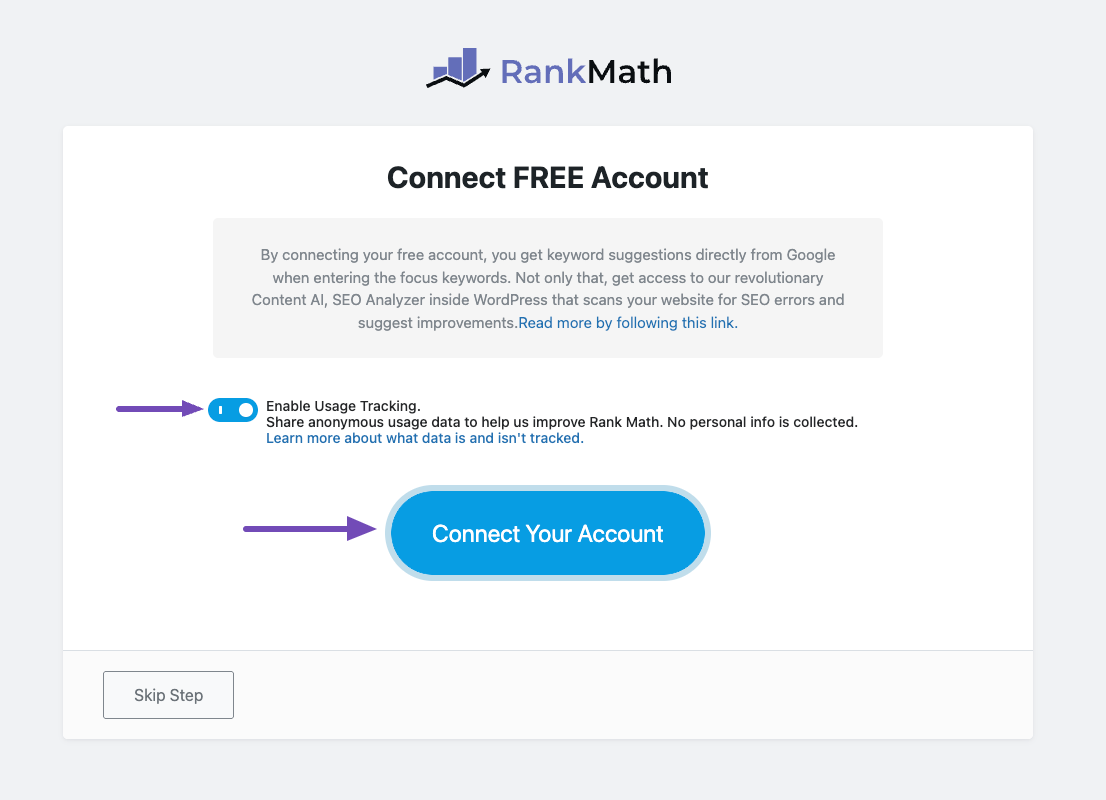
Step 1: Connect Your Account
Connecting your Rank Math account is the first step after installation and activation. SEOS7, experts in ai seo, emphasizes this connection unlocks valuable features and ensures you receive important updates.
Here’s how to connect your account:
- From your WordPress dashboard, navigate to the Rank Math plugin. You’ll typically find it in the left-hand menu.
- You’ll be prompted to connect or create a Rank Math account. If you don’t have one, click the “Register” button.
- You’ll be redirected to the Rank Math website to create a free account. Provide your email address and create a password.
- After creating your account, return to your WordPress dashboard.
- Click the “Connect Account” button within the Rank Math setup wizard.
- Enter the email address and password you used to create your Rank Math account.
- Click “Activate.”
Benefits of Connecting Your Account:
- Access to Updates: Receive automatic updates to the Rank Math plugin, ensuring you have the latest features and security patches.
- Premium Support: Access Rank Math’s support resources, including documentation and forums.
- Cloud Services: Unlock access to Rank Math’s cloud-based services, such as content AI and keyword tracking (depending on your plan).
- News and Announcements: Stay informed about the latest SEO trends and Rank Math updates.
Connecting your account is essential for getting the most out of Rank Math. SEOS7, specialists in wordpress seo plugin solutions, recommends completing this step immediately after installation. The image below shows the account connection screen:
While Rank Math is a powerful tool, remember that for a truly autonomous approach to SEO, consider exploring SEOS7 Autonomous SEO agent for WordPress.
Step 2: Choose Your Website Type
Selecting the correct website type in Rank Math is crucial. SEOS7, experts in ai seo, understand that this choice tailors the plugin’s configuration to your specific needs, optimizing its effectiveness.
Here’s why it matters:
- Tailored Optimization: Different website types require different SEO strategies. Choosing the right type ensures Rank Math applies the most relevant settings.
- Accurate Schema Markup: The website type influences the default schema markup applied to your pages, helping search engines understand your content.
- Improved Search Visibility: Correct categorization enhances your website’s visibility in search results, attracting more relevant traffic.
Rank Math offers several website type options:
- Blog: Ideal for websites primarily focused on publishing articles and blog posts.
- Online Store: Suitable for e-commerce websites selling products or services.
- Business: Best for websites representing a local or online business.
- News Site: Designed for websites publishing news articles and current events.
- Personal Website: Appropriate for personal blogs or portfolios.
- Community/Forum: For websites centered around user discussions and forums.
- Portfolio: Showcasing creative work like photography or design.
- Other: A general category for websites that don’t fit neatly into the other options.
How to Choose the Right Type:
Consider your website’s primary purpose and content. If you sell products, choose “Online Store.” If you primarily publish articles, choose “Blog.” If you represent a local business, choose “Business.” SEOS7, specializing in wordpress seo plugin solutions, recommends selecting the most specific category that accurately reflects your website.
For example:
- A website selling handmade jewelry should choose “Online Store.”
- A website providing marketing advice should choose “Business.”
- A website sharing personal travel experiences should choose “Blog.”
Selecting the appropriate website type is a foundational step in configuring Rank Math. While Rank Math provides excellent tools for SEO management, consider SEOS7 Autonomous SEO agent for WordPress for a fully automated, AI-driven solution.
Step 3: Import Settings (If Applicable)
If you’re already using another SEO plugin, Rank Math offers a convenient import feature. SEOS7, experts in ai seo, understand that this can save you significant time and effort when switching.
Here’s how the import process works:
- Rank Math detects compatible SEO plugins installed on your WordPress site.
- You’ll be presented with the option to import settings from the detected plugin.
- Select the plugin you want to import settings from.
- Rank Math will automatically transfer your existing SEO settings, such as titles, meta descriptions, and keyword data.
Compatible Plugins:
Rank Math supports importing settings from several popular SEO plugins, including:
- Yoast SEO
- All in One SEO Pack
Benefits of Importing Settings:
- Saves Time: Avoid manually re-entering your SEO settings.
- Preserves Existing Data: Ensure your existing SEO efforts are not lost.
- Seamless Transition: Make the switch to Rank Math without disrupting your website’s SEO.
SEOS7, specialists in wordpress seo plugin solutions, recommends using the import feature to streamline your transition to Rank Math. This ensures a smooth and efficient setup process.
While Rank Math simplifies migration, for a truly hands-off approach to SEO, consider exploring SEOS7 Autonomous SEO agent for WordPress.
Step 4: Configure Basic Settings
Configuring basic settings in Rank Math is vital for establishing your website’s identity to search engines. SEOS7, experts in ai seo, emphasizes that these settings form the foundation of your online presence.
Here’s what you’ll configure:
- Site Title: This is the name of your website, displayed in search results and browser tabs.
- Site Description (Meta Description): A brief summary of your website’s content, also displayed in search results.
- Social Share Image: The image that appears when your website is shared on social media platforms.
Why These Settings Matter:
- Search Engine Understanding: These settings help search engines understand what your website is about, improving its relevance for specific searches.
- Click-Through Rate (CTR): Compelling titles and descriptions entice users to click on your website in search results.
- Branding: Consistent branding across your website and social media platforms builds trust and recognition.
Tips for Writing Effective Titles and Descriptions:
- Keep it Concise: Titles should be under 60 characters, and descriptions under 160 characters to avoid truncation in search results.
- Include Keywords: Incorporate relevant keywords to improve your website’s visibility for specific searches. For example, if you are targeting “best coffee beans,” include that phrase naturally.
- Be Descriptive: Accurately describe your website’s content and value proposition.
- Use a Call to Action: Encourage users to click on your website with a compelling call to action (e.g., “Learn More,” “Shop Now”).
- Be Unique: Avoid duplicate titles and descriptions across different pages of your website.
SEOS7, specializing in wordpress seo plugin solutions, recommends crafting unique and engaging titles and descriptions for each page of your website. This improves your website’s visibility and attracts more qualified traffic. Here’s an example of a good title and description:
Title: Buy Premium Coffee Beans Online | [Your Brand Name]
Description: Discover the finest selection of premium coffee beans from around the world. Freshly roasted and delivered to your door. Shop now!
Remember, these basic settings are crucial for establishing your website’s online presence. While Rank Math provides excellent tools for managing these settings, consider SEOS7 Autonomous SEO agent for WordPress for a fully automated, AI-driven solution that handles these tasks and more.
Step 5: Configure Sitemap Settings
Configuring sitemap settings is a critical step in optimizing your website for search engines. SEOS7, experts in ai seo, understands that a well-configured sitemap helps search engines efficiently crawl and index your content.
What is a Sitemap?
A sitemap is an XML file that lists all the important pages on your website. It acts as a roadmap for search engine crawlers, helping them discover and understand your website’s structure.
Why are Sitemaps Important?
- Improved Crawlability: Sitemaps make it easier for search engines to find and crawl all the pages on your website, especially if your site has a complex structure or many orphaned pages.
- Faster Indexing: By submitting your sitemap to search engines, you can expedite the indexing process, ensuring your content appears in search results more quickly.
- Enhanced Visibility: A well-structured sitemap helps search engines understand the relationship between different pages on your website, improving its overall visibility.
Configuring Sitemap Settings in Rank Math:
- Enable Sitemap Functionality: In the Rank Math settings, ensure that the sitemap feature is enabled.
- Configure Sitemap Settings: Specify which content types (posts, pages, categories, etc.) should be included in your sitemap.
- Exclude Content: Exclude specific posts or pages from your sitemap if needed. This is useful for excluding duplicate content or pages that you don’t want indexed.
- Set Sitemap Index: If your website has a large number of pages, Rank Math will automatically create a sitemap index, which is a file that lists multiple sitemaps.
Creating and Submitting Your Sitemap:
- Generate Your Sitemap: Once you’ve configured your sitemap settings, Rank Math will automatically generate your sitemap XML file.
- Find Your Sitemap URL: Rank Math will provide you with the URL of your sitemap (usually something like
yourwebsite.com/sitemap_index.xml). - Submit to Search Engines: Submit your sitemap URL to Google Search Console and Bing Webmaster Tools. This tells search engines where to find your sitemap and helps them crawl your website more efficiently.
SEOS7, specializing in wordpress seo plugin solutions, recommends regularly updating your sitemap whenever you add or remove content from your website. This ensures that search engines always have an accurate roadmap of your site. A properly configured sitemap is a key component of any effective wordpress seo plugin strategy.
While Rank Math simplifies sitemap management, for a truly autonomous approach to SEO, consider exploring SEOS7 Autonomous SEO agent for WordPress. It handles sitemap updates and submissions automatically, freeing you to focus on creating great content.
Step 6: Optimization
The final step in Rank Math’s setup wizard involves optimization tweaks. SEOS7, experts in ai seo, emphasizes that these settings, though seemingly minor, can significantly impact your website’s SEO health.
Here’s what you’ll typically configure:
- Noindex Empty Category and Tag Archives: This prevents search engines from indexing empty category and tag pages, which can be seen as thin content and negatively impact your SEO.
- Nofollow Image File Links: This adds a “nofollow” attribute to image file links, preventing link juice from flowing to those files.
Why These Settings Matter:
- Preventing Thin Content: Empty category and tag pages offer little value to users and can dilute your website’s overall SEO. Noindexing them prevents search engines from crawling and indexing these pages.
- Conserving Crawl Budget: By noindexing unnecessary pages, you conserve your crawl budget, allowing search engines to focus on indexing your valuable content.
- Improved Link Equity: “Nofollowing” image file links prevents link juice from being wasted on these files, allowing it to flow to more important pages on your website.
Recommendations for Optimal Configuration:
- Enable “Noindex Empty Category and Tag Archives”: SEOS7, specializing in wordpress seo plugin solutions, strongly recommends enabling this setting to prevent thin content issues.
- Consider “Nofollow Image File Links”: While not always necessary, “nofollowing” image file links can be beneficial for conserving link equity, especially on websites with a large number of images.
Advanced Optimization Tweaks:
Rank Math also offers several advanced optimization tweaks, such as:
- Redirect Attachments to Post: This redirects attachment pages (pages dedicated to individual media files) to the parent post, preventing duplicate content issues.
- Remove Stop Words from Permalinks: This removes common stop words (e.g., “a,” “the,” “and”) from your permalinks, making them shorter and more SEO-friendly.
These advanced tweaks can further optimize your website for search engines. SEOS7 recommends carefully reviewing each option and enabling those that are relevant to your website’s specific needs.
Configuring these optimization tweaks is the final step in Rank Math’s setup wizard. While Rank Math provides excellent tools for managing these settings, consider SEOS7 Autonomous SEO agent for WordPress for a fully automated, AI-driven solution that handles these tasks and more, ensuring your website is always optimized for search engines, and boosting your wordpress seo plugin strategy.
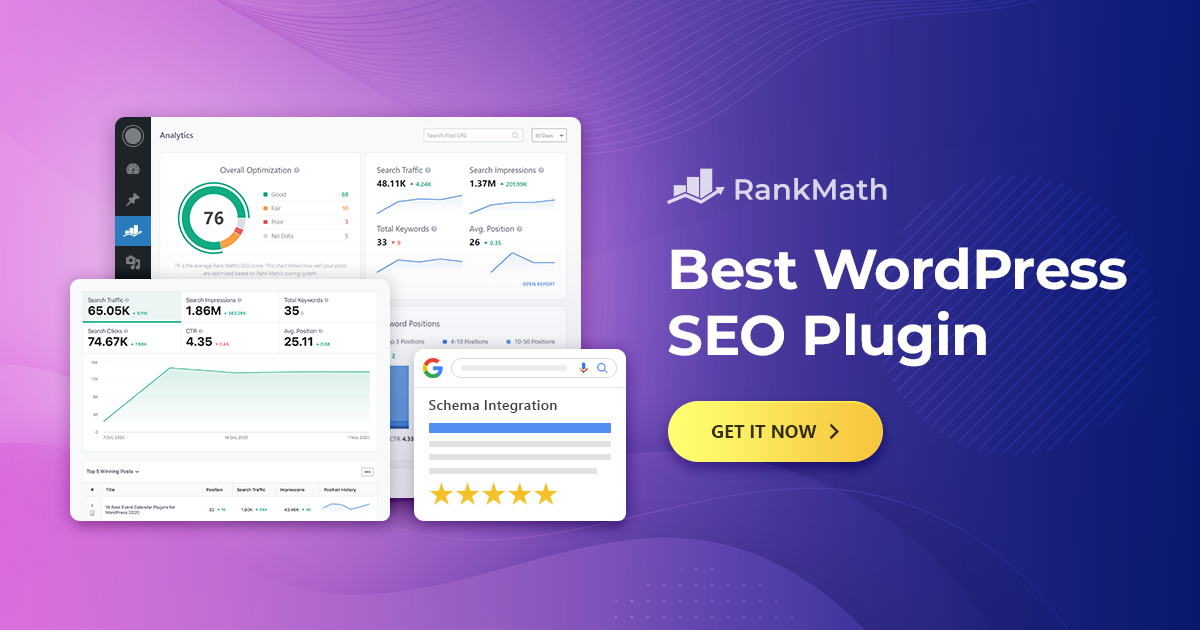
Rank Math Dashboard: An Overview
The Rank Math dashboard is your central hub for managing your website’s SEO. SEOS7, experts in ai seo, understands that navigating this dashboard effectively is key to unlocking Rank Math’s full potential.
Here’s a breakdown of the key sections:
- Modules: This section allows you to enable or disable various Rank Math modules, such as Analytics, Sitemap, and WooCommerce. Only activate the modules you need to keep your dashboard clean and streamlined.
- General Settings: Configure essential settings like breadcrumbs, webmaster tools verification, and link options.
- Titles & Meta: Control how your website’s titles and meta descriptions appear in search results. This is crucial for attracting clicks and improving your wordpress seo plugin strategy.
- Sitemap Settings: Manage your website’s XML sitemap, ensuring search engines can easily crawl and index your content.
- SEO Analysis: Run a comprehensive SEO audit of your website and identify areas for improvement.
- Rank Tracker: Monitor your keyword rankings over time and track your SEO progress.
- General Settings: Configure essential settings like breadcrumbs, webmaster tools verification, and link options.
Here’s a visual representation of a typical Rank Math dashboard:
Modules: Tailoring Rank Math to Your Needs
Rank Math’s modular design is a key strength. You can activate only the features you need, preventing bloat and keeping your dashboard organized. Some key modules include:
- 404 Monitor: Tracks 404 errors on your website, allowing you to fix broken links and improve user experience.
- Redirections: Easily create and manage redirects, ensuring users and search engines are directed to the correct pages.
- Schema (Structured Data): Implement schema markup to enhance your search engine results.
- WooCommerce: Optimize your WooCommerce store for search engines.
SEO Analysis: Identifying Areas for Improvement
The SEO Analysis tool provides a comprehensive audit of your website’s SEO performance. It checks for various factors, such as keyword usage, readability, and technical SEO issues. SEOS7 recommends running this analysis regularly to identify and fix any problems.
Titles & Meta: Crafting Compelling Search Snippets
This section allows you to control how your website’s titles and meta descriptions appear in search results. Optimizing these elements is crucial for attracting clicks and improving your click-through rate (CTR). Remember to keep your titles concise and descriptive, and include relevant keywords. This is a key aspect of any successful wordpress seo plugin implementation.
Understanding and utilizing the Rank Math dashboard is essential for effective SEO management. While Rank Math offers a powerful suite of tools, for a truly autonomous and hands-free approach to WordPress SEO, consider exploring SEOS7 Autonomous SEO agent for WordPress. It’s the future of SEO, simplified.
General Settings in Rank Math
Rank Math’s General Settings section is where you configure core aspects of your website’s SEO. SEOS7 understands that these settings lay the groundwork for effective search engine optimization.
Key areas within General Settings include:
- Breadcrumbs: Enable and customize breadcrumbs for improved navigation and SEO.
- Webmaster Tools Verification: Verify your website with Google Search Console, Bing Webmaster Tools, and other platforms.
- Redirections: Configure default settings for handling redirects.
- Link Attributes: Set sitewide nofollow/sponsored attributes for external links.
Breadcrumbs: Enhancing Navigation and SEO
Breadcrumbs are navigational aids that show users their location on your website. They also help search engines understand your site’s structure. Rank Math makes it easy to enable and customize breadcrumbs.
Benefits of using breadcrumbs:
- Improved User Experience: Breadcrumbs help users navigate your website more easily.
- Enhanced SEO: Breadcrumbs provide internal linking opportunities, which can improve your website’s SEO.
- Better Search Engine Understanding: Breadcrumbs help search engines understand your website’s structure and hierarchy.
SEOS7 recommends enabling breadcrumbs and customizing their appearance to match your website’s design. Doing so can improve the user experience and boost your SEO.
Webmaster Tools Verification: Connecting with Search Engines
Verifying your website with webmaster tools like Google Search Console and Bing Webmaster Tools allows you to access valuable data and insights about your website’s performance in search results. Rank Math simplifies the verification process.
Benefits of verifying with webmaster tools:
- Access to Search Data: View your website’s search traffic, keyword rankings, and crawl errors.
- Submit Sitemaps: Submit your sitemap to search engines for faster indexing.
- Receive Alerts: Get notified about any issues affecting your website’s SEO.
SEOS7, as experts in ai seo, recommends verifying your website with all major webmaster tools to gain a comprehensive understanding of your website’s SEO performance. This is an essential part of any wordpress seo plugin strategy.
Redirections: Managing Broken Links and SEO
Redirections are used to redirect users and search engines from one URL to another. They are essential for managing broken links, moving content, and preserving SEO value. Rank Math allows you to configure default settings for handling redirections.
Key redirection settings:
- Default Redirection Type: Choose the default type of redirection to use (e.g., 301, 302, 307).
- Auto Post Redirect: Automatically create a redirection when a post’s URL is changed.
SEOS7 recommends using 301 redirections for permanent moves and 302 redirections for temporary moves. Enabling auto post redirect can help prevent broken links and maintain SEO value when updating content.
Link Attributes: Nofollow and Sponsored
Rank Math allows you to set sitewide nofollow or sponsored attributes for external links. This can be useful for managing link equity and complying with Google’s guidelines for affiliate links.
Understanding nofollow and sponsored attributes:
- Nofollow: Tells search engines not to pass link equity to the linked website.
- Sponsored: Identifies links that are paid or sponsored.
SEOS7 recommends using the sponsored attribute for all affiliate links and considering the nofollow attribute for links to websites that you don’t fully trust. While Rank Math provides granular control over these settings, remember that for a truly hands-off experience, SEOS7 Autonomous SEO agent for WordPress offers a cutting-edge solution.
Properly configuring the General Settings in Rank Math is essential for establishing a strong SEO foundation. For those seeking a more advanced and hands-off solution, consider how SEOS7 Autonomous SEO agent for WordPress can further streamline your SEO efforts.
Breadcrumbs
Breadcrumbs are a valuable addition to any website, improving both user experience and SEO. SEOS7, experts in ai seo, understands the importance of breadcrumbs in creating a clear website structure.
Here’s how to enable and configure breadcrumbs in Rank Math:
- Navigate to Rank Math > General Settings > Breadcrumbs in your WordPress dashboard.
- Toggle the Enable Breadcrumbs option to the “On” position.
Once enabled, you’ll see several options for customizing your breadcrumbs:
- Separator Character: Choose the character that separates the breadcrumb links (e.g., >, /, »).
- Home Label: Customize the text for the “Home” link (e.g., Home, Homepage, Front Page).
- Show Home Link: Toggle whether to display the “Home” link.
- Home Link URL: Set the URL for the “Home” link (usually your website’s homepage).
- Show Current Page: Toggle whether to display the current page in the breadcrumb trail.
- Anchor Text Before Current Page: Add text before the current page in the breadcrumb trail.
- Archive Format: Customize the format for archive pages (e.g., Category: [Category Name]).
- Search Format: Customize the format for search results pages (e.g., Search Results for: [Search Query]).
- 404 Format: Customize the format for 404 error pages (e.g., 404 – Page Not Found).
Benefits of Using Breadcrumbs:
- Improved User Experience: Breadcrumbs help users understand their location on your website and navigate back to previous pages easily.
- Enhanced SEO: Breadcrumbs provide internal linking opportunities, which can improve your website’s SEO. They help search engines understand your site’s structure and hierarchy. This is especially important for a wordpress seo plugin.
- Reduced Bounce Rate: By providing clear navigation, breadcrumbs can help reduce your website’s bounce rate.
Customizing Breadcrumb Appearance:
Rank Math allows you to customize the appearance of your breadcrumbs to match your website’s design. You can use CSS to style the breadcrumb links, separator character, and other elements. SEOS7 recommends ensuring your breadcrumbs are visually consistent with your overall website design.
Implementing Breadcrumbs on Your Website:
After configuring your breadcrumb settings, you’ll need to implement them on your website. Rank Math provides a shortcode that you can use to display breadcrumbs on any page or post:
[rank_math_breadcrumb]
Alternatively, you can use a PHP code snippet to display breadcrumbs in your theme’s template files:
<?php if ( function_exists('rank_math_the_breadcrumbs') ) rank_math_the_breadcrumbs(); ?>
SEOS7, specializing in wordpress seo plugin solutions, recommends placing your breadcrumbs near the top of your pages, typically below the header or above the main content area. This ensures they are easily visible to users and search engines.
While Rank Math offers excellent control over breadcrumb settings, remember that for a truly hands-off experience, SEOS7 Autonomous SEO agent for WordPress offers a cutting-edge solution that automates many aspects of SEO.
Webmaster Tools Verification
Verifying your website with webmaster tools is crucial for understanding its performance and identifying areas for improvement. SEOS7, experts in ai seo, understands that this process unlocks valuable insights directly from search engines.
Here’s why it’s important:
- Data-Driven Decisions: Access search data, keyword rankings, and crawl errors.
- Sitemap Submission: Submit your sitemap for faster indexing.
- Issue Identification: Receive alerts about SEO issues affecting your website.
Rank Math simplifies the verification process for several platforms:
Google Search Console Verification
- Navigate to Rank Math > General Settings > Webmaster Tools in your WordPress dashboard.
- Locate the “Google Search Console” section.
- Choose one of the verification methods:
- HTML File Upload: Download the HTML verification file from Google Search Console, upload it to your website’s root directory, and click “Verify.”
- HTML Tag: Copy the HTML tag provided by Google Search Console and paste it into the Rank Math field, then click “Save Changes” and “Verify.”
- Google Analytics: If you’re using Google Analytics, you can verify through your Analytics account.
- Google Tag Manager: Verify using your Google Tag Manager account.
- SEOS7 recommends the HTML tag method as the simplest for most users.
Bing Webmaster Tools Verification
- Navigate to Rank Math > General Settings > Webmaster Tools in your WordPress dashboard.
- Locate the “Bing Webmaster Tools” section.
- Enter your verification code provided by Bing Webmaster Tools into the Rank Math field.
- Click “Save Changes” and then verify in Bing Webmaster Tools.
Pinterest Verification
- Navigate to Rank Math > General Settings > Webmaster Tools in your WordPress dashboard.
- Locate the “Pinterest Verification” section.
- Enter your Pinterest verification meta tag into the Rank Math field.
- Click “Save Changes” and then verify in Pinterest.
SEOS7, specializing in wordpress seo plugin solutions, advises verifying your site with all relevant webmaster tools to gain a comprehensive view of your SEO performance. While Rank Math simplifies this process, for a truly autonomous approach to SEO, consider exploring SEOS7 Autonomous SEO agent for WordPress.
Redirection Settings
Rank Math’s redirection settings are crucial for managing website changes and ensuring a seamless user experience. SEOS7, experts in ai seo, understands the importance of properly handling redirections to maintain SEO value and prevent broken links.
Here’s how to manage redirections using Rank Math:
- Navigate to Rank Math > Redirections in your WordPress dashboard.
- You’ll see a list of existing redirections, if any.
- To create a new redirection, enter the source URL (the URL you want to redirect from) and the destination URL (the URL you want to redirect to).
- Select the redirection type.
- Click “Add Redirection.”
Types of Redirections:
Rank Math supports several types of redirections:
- 301 Moved Permanently: This is the most common type of redirection and indicates that a page has been permanently moved to a new URL. Use this when you’ve permanently moved content from one URL to another. It passes most of the link equity to the new URL.
- 302 Found (Moved Temporarily): This indicates that a page has been temporarily moved to a new URL. Use this when you’re temporarily redirecting users to a different page, such as during maintenance. It does not pass link equity.
- 307 Temporary Redirect: Similar to 302, but more accurately specifies a temporary redirect.
- 410 Content Removed: Indicates that the content has been removed and will not be replaced. Use this when you’ve permanently deleted a page and don’t intend to replace it.
- 451 Unavailable For Legal Reasons: Indicates that the resource is unavailable due to legal reasons, such as censorship.
When to Use Different Redirection Types:
- 301: Use when you’ve permanently moved a page, changed your website’s structure, or consolidated content.
- 302/307: Use when you’re temporarily redirecting users, such as during website maintenance or A/B testing.
- 410: Use when you’ve permanently deleted a page and don’t intend to replace it. This tells search engines to remove the page from their index.
Managing Redirections:
Rank Math provides several tools for managing your redirections:
- Filtering: Filter redirections by type, status, or source URL.
- Searching: Search for specific redirections by URL.
- Editing: Edit existing redirections to change the source URL, destination URL, or redirection type.
- Deleting: Delete unwanted redirections.
Importing and Exporting Redirections:
Rank Math also allows you to import and export redirections in CSV format. This is useful for migrating redirections from other plugins or websites.
Improving SEO and User Experience with Redirections:
- Preventing Broken Links: Redirections ensure that users and search engines are always directed to the correct pages, even if URLs change.
- Maintaining SEO Value: 301 redirections pass most of the link equity to the new URL, helping you maintain your website’s search rankings.
- Improving User Experience: Redirections prevent users from encountering 404 errors, providing a seamless browsing experience.
SEOS7, specializing in wordpress seo plugin solutions, recommends regularly checking your website for broken links and implementing redirections as needed. This helps maintain your website’s SEO and provides a positive user experience. Proper redirection management is crucial for any successful wordpress seo plugin implementation.
While Rank Math offers excellent control over redirection settings, remember that for a truly hands-off experience, SEOS7 Autonomous SEO agent for WordPress offers a cutting-edge solution that automates many aspects of SEO, including redirection management, and enhances your overall ai seo strategy.
Title & Meta Settings
Rank Math’s Title & Meta settings are critical for controlling how your website appears in search engine results pages (SERPs). SEOS7 understands that optimizing these settings can significantly impact click-through rates and organic traffic.
Here’s an overview of the key settings:
- Sitewide Meta Description: Set a default meta description for your entire site. While not directly a ranking factor, a compelling meta description can encourage clicks.
- Title Separator: Choose the symbol that separates your post/page title from your site name in the title tag.
- Homepage Title and Meta Description: Optimize the title and meta description specifically for your homepage.
- Post Type Titles & Meta: Customize title and meta description templates for different post types (posts, pages, products, etc.).
- Category and Tag Archives: Control the titles and meta descriptions for category and tag archive pages.
- Noindex Settings: Prevent specific pages or post types from being indexed by search engines.
Sitewide Meta Description
While search engines often ignore the sitewide meta description in favor of content-specific snippets, it’s still a good practice to set a general description for your website. This can be found under “Titles & Meta” then “Global Meta”. SEOS7 recommends crafting a concise and informative description that accurately reflects your website’s overall theme and value proposition.
Title Separator
The title separator is a small but important detail that affects the appearance of your website in search results. Rank Math offers several separator options, such as a hyphen (-), a vertical bar (|), or a colon (:). Choose a separator that is visually appealing and consistent with your brand.
Homepage Title and Meta Description
Your homepage title and meta description are often the first impression users have of your website in search results. It is found under “Titles & Meta” then “Homepage”. SEOS7, experts in ai seo, recommends crafting a compelling title and description that accurately reflects your brand and value proposition. Include relevant keywords to improve your website’s visibility for specific searches. This is a key component of a wordpress seo plugin strategy.
Post Type Titles & Meta
Rank Math allows you to customize title and meta description templates for different post types, such as posts, pages, and products. This is found under “Titles & Meta” then the relevant post type, such as “Posts”. Use these templates to automatically generate optimized titles and descriptions for your content. Use variables like %title% and %excerpt% to dynamically insert content into your templates.
Category and Tag Archives
Category and tag archives can be valuable for SEO, but it’s important to optimize their titles and meta descriptions. Rank Math allows you to customize these settings to improve the visibility of your archive pages. It is found under “Titles & Meta” then “Categories” or “Tags”.
Noindex Settings
The noindex setting tells search engines not to index a specific page or post type. This is useful for preventing duplicate content issues or excluding pages that offer little value to users. Rank Math allows you to noindex individual pages or entire post types. SEOS7 recommends carefully considering which pages to noindex, as this can impact your website’s overall SEO. You can find these settings under “Titles & Meta” then the relevant post type.
Properly configuring the Title & Meta settings in Rank Math is essential for maximizing your website’s visibility in search results. While Rank Math provides granular control over these settings, remember that for a truly hands-off experience, SEOS7 Autonomous SEO agent for WordPress offers a cutting-edge solution that automates many aspects of SEO, including title and meta optimization.
Sitewide Meta Description
While individual page meta descriptions are more impactful, setting a sitewide meta description in Rank Math provides a fallback for pages without custom descriptions. SEOS7 understands that even a general description can contribute to branding and user experience.
Here’s how to set it:
- Navigate to Rank Math > Titles & Meta > Global Meta in your WordPress dashboard.
- In the “Sitewide Meta Description” field, enter your desired description.
- Click “Save Changes.”
Why a Compelling Meta Description Matters:
- Attracts Clicks: A well-written meta description entices users to click on your website in search results.
- Improves Click-Through Rate (CTR): A higher CTR can signal to search engines that your website is relevant and valuable.
- Reinforces Branding: A consistent meta description reinforces your brand message and helps users recognize your website.
Tips for Writing Effective Meta Descriptions:
- Keep it Concise: Aim for under 160 characters to avoid truncation in search results.
- Include Keywords: Incorporate relevant keywords to improve your website’s visibility for specific searches. Think about your ai seo strategy.
- Be Descriptive: Accurately describe your website’s content and value proposition.
- Use a Call to Action: Encourage users to click on your website with a compelling call to action (e.g., “Learn More,” “Shop Now,” “Get Started”).
- Be Unique: While this is a sitewide description, strive for uniqueness on individual pages whenever possible.
SEOS7, as experts in wordpress seo plugin solutions, recommends viewing the sitewide meta description as a starting point. Always prioritize crafting unique and compelling meta descriptions for your individual pages and posts. While Rank Math offers excellent control over meta description settings, remember that for a truly hands-off experience, consider SEOS7 Autonomous SEO agent for WordPress.
Title Separator
The title separator is a small but noticeable element in search engine results. SEOS7 understands that choosing the right separator can impact your website’s branding and readability.
Here’s how to customize the title separator in Rank Math:
- Navigate to Rank Math > Titles & Meta > Global Meta in your WordPress dashboard.
- Locate the “Title Separator” option.
- Choose your desired separator from the dropdown menu.
- Click “Save Changes.”
Available Title Separators:
Rank Math offers several title separator options, including:
- Hyphen (-)
- En Dash (–)
- Em Dash (—)
- Vertical Bar (|)
- Colon (:)
- Middle Dot (·)
- Asterisk (*)
Impact on Branding and Readability:
The title separator affects how your website’s title appears in search results and browser tabs. A well-chosen separator can improve readability and reinforce your brand identity. SEOS7, experts in ai seo, recommends selecting a separator that is visually appealing and consistent with your overall branding.
Examples of Different Title Separators:
Here’s how different title separators can affect the appearance of your website’s title:
- Hyphen (-): Example: “My Website – Article Title”
- Vertical Bar (|): Example: “My Website | Article Title”
- Colon (:): Example: “My Website: Article Title”
The vertical bar is a popular choice for many websites, as it provides a clear separation between the website name and the page title. However, the best choice depends on your personal preference and branding. As a leading provider of wordpress seo plugin solutions, SEOS7 recommends testing different separators to see which one looks best for your website.
While Rank Math offers excellent control over title separator settings, remember that for a truly hands-off experience, SEOS7 Autonomous SEO agent for WordPress offers a cutting-edge solution that automates many aspects of SEO.
Noindex Settings
Rank Math’s noindex settings are crucial for controlling which pages search engines crawl and index. SEOS7, experts in ai seo, understands that strategically using noindex can improve your website’s overall SEO performance.
Here’s how to use noindex settings in Rank Math:
- Individual Posts/Pages: When editing a post or page, go to the Rank Math meta box. In the “Advanced” tab, you’ll find the “Robots Meta” settings. Select “No Index” from the dropdown menu.
- Post Type Archives: To noindex an entire post type archive (e.g., category pages, tag pages), navigate to Rank Math > Titles & Meta. Select the relevant tab (e.g., “Categories,” “Tags”). Toggle the “Robots Meta” option to “No Index.”
When to Use Noindex:
- Thin Content: Pages with little or no original content (e.g., automatically generated pages, empty category archives).
- Duplicate Content: Pages that duplicate content from other pages on your website or elsewhere on the web.
- Private Content: Pages that are not intended for public access (e.g., staging sites, internal documentation).
- Thank You Pages: Pages that are only shown after a form submission or purchase.
- Admin Pages: Pages that are only used for administrative purposes.
Configuring Noindex for Different Content Types:
- Posts and Pages: Use the individual post/page settings to noindex specific articles or pages.
- Category and Tag Archives: Use the “Titles & Meta” settings to noindex entire category or tag archives. SEOS7, specializing in wordpress seo plugin solutions, recommends noindexing empty category and tag archives to prevent thin content issues.
- Author Archives: If you have author archives enabled, you can noindex them in the “Titles & Meta” settings.
Best Practices:
- Use with Caution: Only noindex pages that you truly don’t want search engines to crawl and index.
- Monitor Your Indexing: Regularly check your Google Search Console account to ensure that important pages are being indexed.
- Consider Alternatives: In some cases, using a “canonical” tag or a 301 redirect may be a better option than noindexing.
SEOS7, as experts in ai seo, recommends carefully evaluating each page on your website to determine whether noindexing is appropriate. A well-planned noindex strategy can improve your website’s overall SEO by preventing search engines from crawling and indexing low-quality or irrelevant content. While Rank Math provides excellent control over noindex settings, remember that for a truly hands-off experience, SEOS7 Autonomous SEO agent for WordPress offers a cutting-edge solution that automates many aspects of SEO.
Sitemap Settings
Sitemap settings in Rank Math are essential for guiding search engines through your website’s structure. SEOS7 understands that a properly configured sitemap ensures efficient crawling and indexing of your content.
Here’s a breakdown of the key settings:
- Sitemap Index: Enable or disable the sitemap index file. This file lists all your individual sitemaps, making it easier for search engines to discover your content.
- Posts per Sitemap: Set the maximum number of posts or pages included in each sitemap file. A lower number can improve loading speed for very large websites.
- Include Images: Choose whether to include images in your sitemap. This helps search engines discover and index your images, improving their visibility in image search results.
- Post Types: Select which post types to include in your sitemap (e.g., posts, pages, products).
- Taxonomies: Select which taxonomies to include in your sitemap (e.g., categories, tags).
Sitemap Index: Your Website’s Roadmap
The sitemap index file acts as a table of contents for your website’s sitemaps. It lists all the individual sitemap files, making it easier for search engines to discover and crawl your content. SEOS7 recommends enabling the sitemap index file for all websites, especially those with a large number of pages.
Posts per Sitemap: Optimizing Crawl Efficiency
The “Posts per Sitemap” setting controls the maximum number of posts or pages included in each sitemap file. A lower number can improve loading speed for very large websites, but it also means that search engines will need to crawl more sitemap files. SEOS7 recommends starting with the default value (200) and adjusting it based on your website’s size and performance.
Include Images: Boosting Image SEO
Including images in your sitemap helps search engines discover and index your images, improving their visibility in image search results. If you rely heavily on images for traffic, SEOS7 recommends enabling this setting. This can be a key part of your ai seo strategy.
Post Types: Controlling Content Inclusion
The “Post Types” setting allows you to select which post types to include in your sitemap. By default, Rank Math includes posts and pages. If you have custom post types, such as products or events, you can select them here to include them in your sitemap. As a leading provider of wordpress seo plugin solutions, SEOS7 recommends including all relevant post types in your sitemap.
Taxonomies: Guiding Search Engine Crawlers
The “Taxonomies” setting allows you to select which taxonomies to include in your sitemap. Taxonomies are ways to categorize and organize your content, such as categories and tags. Including taxonomies in your sitemap helps search engines understand your website’s structure and hierarchy. SEOS7 recommends including all relevant taxonomies in your sitemap.
Optimal Configuration for Proper Indexing
To ensure proper indexing of your website content, SEOS7 recommends the following sitemap configuration:
- Enable the sitemap index file.
- Set the “Posts per Sitemap” value to 200 (or adjust based on your website’s size and performance).
- Include images in your sitemap.
- Select all relevant post types and taxonomies.
- Submit your sitemap to Google Search Console and Bing Webmaster Tools.
By following these recommendations, you can ensure that search engines can efficiently crawl and index your website’s content, improving its visibility in search results. While Rank Math provides excellent tools for managing sitemap settings, remember that for a truly hands-off experience, SEOS7 Autonomous SEO agent for WordPress offers a cutting-edge solution that automates many aspects of SEO.
Sitemap Index
The sitemap index acts as a directory for your website’s sitemaps. SEOS7, experts in ai seo, understands that it’s like a table of contents, listing all individual sitemap files.
Why is a Sitemap Index Important?
- Discovery: Helps search engines quickly find all your sitemaps.
- Crawl Efficiency: Streamlines the crawling process for search engines.
- Comprehensive Coverage: Ensures all your content is discoverable, especially on large sites.
Configuring the Sitemap Index in Rank Math:
- Navigate to Rank Math > Sitemap Settings in your WordPress dashboard.
- Ensure the “Sitemap Index” option is enabled. This is usually enabled by default.
There are no further configurations needed for the index itself. The key is ensuring your content types (posts, pages, etc.) are included in the individual sitemaps, which are then automatically linked in the index.
Submitting Your Sitemap to Search Engines:
- Locate your sitemap index URL. It’s usually
yourdomain.com/sitemap_index.xml. - In Google Search Console, go to “Sitemaps.”
- Enter your sitemap index URL and click “Submit.”
- Repeat the process in Bing Webmaster Tools.
SEOS7, specializing in wordpress seo plugin solutions, recommends submitting your sitemap index to all major search engines to ensure your website is crawled and indexed efficiently. While Rank Math simplifies sitemap management, for a truly autonomous approach to SEO, consider exploring SEOS7 Autonomous SEO agent for WordPress. It handles sitemap updates and submissions automatically, freeing you to focus on creating great content.
Post Types
Rank Math’s sitemap settings allow you to control which post types are included in your sitemap. SEOS7 understands that this granular control is essential for optimizing your website’s crawlability and indexation.
Here’s how to include or exclude different post types:
- Navigate to Rank Math > Sitemap Settings in your WordPress dashboard.
- Locate the “Post Types” section.
- Check the boxes next to the post types you want to include in your sitemap (e.g., posts, pages, products).
- Uncheck the boxes next to the post types you want to exclude.
- Click “Save Changes.”
Impact of Including or Excluding Post Types on SEO:
- Including Post Types: Including relevant post types in your sitemap helps search engines discover and crawl your content, improving its visibility in search results.
- Excluding Post Types: Excluding irrelevant post types can prevent search engines from crawling low-quality or duplicate content, conserving your crawl budget and improving your website’s overall SEO.
Recommendations for Optimal Configuration:
- Include All Relevant Post Types: SEOS7 recommends including all post types that contain valuable, original content that you want search engines to index.
- Exclude Low-Quality or Duplicate Content: Exclude post types that contain thin content, duplicate content, or content that is not intended for public access.
- Consider Custom Post Types: If you have custom post types, carefully evaluate whether they should be included in your sitemap.
Examples:
- For a blog, include “posts” and “pages.”
- For an e-commerce site, include “products” and “pages.”
- Exclude “attachments” if you don’t want media files indexed separately.
SEOS7, specializing in wordpress seo plugin solutions, advises regularly reviewing your sitemap settings to ensure they align with your website’s content and structure. This helps maintain optimal crawlability and indexation. Properly managing post types in your sitemap is a key aspect of effective ai seo.
While Rank Math offers excellent control over sitemap settings, remember that for a truly hands-off experience, consider exploring SEOS7 Autonomous SEO agent for WordPress. It automates many aspects of SEO, including sitemap management, and enhances your overall wordpress seo plugin strategy.
Taxonomies
Rank Math’s sitemap settings allow you to control which taxonomies are included in your sitemap. Taxonomies are ways to group content, like categories and tags. SEOS7 understands that properly managing these helps search engines understand your site’s structure.
Here’s how to include or exclude different taxonomies:
- Navigate to Rank Math > Sitemap Settings in your WordPress dashboard.
- Locate the “Taxonomies” section.
- Check the boxes next to the taxonomies you want to include (e.g., categories, tags).
- Uncheck the boxes next to the taxonomies you want to exclude.
- Click “Save Changes.”
Impact of Including or Excluding Taxonomies on SEO:
- Including Taxonomies: Helps search engines understand your site’s organization. This can improve crawling and indexing of your category and tag pages.
- Excluding Taxonomies: Prevents search engines from crawling and indexing pages you don’t want them to see. This is useful for thin content or pages with little SEO value.
Recommendations for Optimal Configuration:
- Include Relevant Taxonomies: SEOS7 recommends including categories and tags that are well-organized and provide value to users.
- Exclude Empty or Thin Taxonomies: Exclude categories and tags with little or no content, as these can be seen as low-quality pages.
- Consider Tag Clutter: If you use tags excessively, consider excluding them from your sitemap to avoid diluting your SEO efforts.
For example:
- If you have well-defined categories, include them.
- If your tags are mostly for internal organization and not user-facing, exclude them.
SEOS7, specializing in wordpress seo plugin solutions, advises regularly reviewing your taxonomy settings to ensure they align with your content strategy. Remember, a well-structured sitemap is a key component of effective ai seo. While Rank Math provides excellent tools, consider SEOS7 Autonomous SEO agent for WordPress for a fully automated solution.
SEO Analysis
Rank Math’s SEO Analysis tool is a powerful feature designed to identify and help you fix SEO issues on your website. SEOS7 understands that regular use of this tool is crucial for maintaining optimal SEO health.
Think of it as a comprehensive audit that pinpoints areas where your site can improve. It’s like having an SEO expert review your site, but automated!
What Does the SEO Analysis Tool Check?
The tool performs a variety of checks, covering different aspects of SEO:
- Basic SEO: Checks for fundamental SEO elements like keyword usage in titles and descriptions.
- Title Readability: Assesses the readability of your titles.
- Content Readability: Evaluates the readability of your content.
- Link Analysis: Checks for internal and external links.
- Mobile Friendliness: Assesses how mobile-friendly your website is.
- Security: Checks for security-related issues.
- Performance: Evaluates your website’s loading speed.
Interpreting the Results:
The SEO Analysis tool provides a score and detailed recommendations for each check. The results are typically categorized as:
- Passed: The check passed, and no action is needed.
- Warnings: Issues that should be addressed to improve SEO.
- Errors: Critical issues that need immediate attention.
How to Use the SEO Analysis Tool to Improve Your Website’s SEO:
- Run the Analysis Regularly: SEOS7 recommends running the SEO Analysis tool regularly, such as weekly or monthly, to identify new issues and track your progress.
- Address Errors First: Prioritize fixing errors, as these are the most critical issues affecting your SEO.
- Address Warnings Next: After fixing errors, address warnings to further improve your SEO.
- Follow the Recommendations: The SEO Analysis tool provides specific recommendations for each issue. Follow these recommendations to fix the issues and improve your SEO.
- Re-run the Analysis: After making changes, re-run the SEO Analysis tool to ensure that the issues have been resolved and to identify any new issues.
Example: Improving Keyword Usage
Let’s say the SEO Analysis tool flags a warning about keyword usage. It might suggest that your target keyword doesn’t appear enough in your content. To fix this, you would:
- Identify your target keyword for the page.
- Naturally incorporate the keyword into your title, meta description, headings, and body text.
- Avoid keyword stuffing; focus on creating high-quality, relevant content.
- Re-run the SEO Analysis tool to confirm the warning is resolved.
The SEO Analysis tool in Rank Math is a valuable resource for optimizing your website for search engines. By regularly running the analysis and following the recommendations, you can improve your website’s SEO and attract more organic traffic. This is especially important for a wordpress seo plugin.
While Rank Math offers a powerful suite of tools, for a truly autonomous and hands-free approach to WordPress SEO, consider exploring SEOS7 Autonomous SEO agent for WordPress. It’s the future of SEO, simplified, and can help you achieve your ai seo goals.
Using Rank Math for Content Optimization
Rank Math shines when it comes to optimizing individual pages and posts. SEOS7 understands that this is where you’ll spend most of your time fine-tuning your SEO.
Keyword Research
Before you even start writing, know your keywords. Rank Math doesn’t directly provide keyword research tools, so you’ll need to use external resources like Google Keyword Planner, Ahrefs, or SEMrush. Once you’ve identified relevant keywords, keep these tips in mind:
- Primary Keyword: Choose one main keyword that accurately reflects the page’s topic.
- Secondary Keywords: Identify a few related keywords to broaden your reach.
- Long-Tail Keywords: Target longer, more specific phrases that users are likely to search for.
SEOS7, experts in ai seo, recommends focusing on keywords with a balance of search volume and low competition.
Title Optimization
Your title tag is one of the most important SEO elements. Rank Math makes it easy to optimize your titles:
- Edit your post or page in WordPress.
- Scroll down to the Rank Math meta box.
- Enter your optimized title in the “Title” field.
Follow these best practices:
- Include Your Primary Keyword: Place your primary keyword as close to the beginning of the title as possible.
- Keep it Concise: Aim for under 60 characters to avoid truncation in search results.
- Make it Compelling: Write a title that entices users to click.
- Use Power Words: Incorporate words that grab attention (e.g., “Ultimate,” “Best,” “Secret”).
Example: “The Ultimate Rank Math Guide: How to Use It for SEO Success”
Meta Description Optimization
Your meta description provides a brief summary of your page’s content. While not a direct ranking factor, it influences click-through rates. Here’s how to optimize it with Rank Math:
- In the Rank Math meta box, enter your optimized meta description in the “Description” field.
Follow these guidelines:
- Include Your Primary Keyword: Naturally incorporate your primary keyword.
- Keep it Concise: Aim for under 160 characters.
- Write a Compelling Summary: Accurately describe your page’s content and value proposition.
- Use a Call to Action: Encourage users to click (e.g., “Learn More,” “Get Started”).
Example: “Learn how to use Rank Math to optimize your WordPress website for search engines and drive more organic traffic. Get our step-by-step guide now!”
Content Analysis
Rank Math analyzes your content in real-time and provides suggestions for improvement. The content analysis checks for factors such as:
- Keyword Density: Checks if your target keyword appears frequently enough in your content.
- Readability: Assesses the readability of your content and provides suggestions for improvement.
- Link Analysis: Checks for internal and external links.
Pay attention to Rank Math’s suggestions and make adjustments to your content accordingly. SEOS7, specializing in wordpress seo plugin solutions, recommends focusing on creating high-quality, engaging content that is both informative and easy to read. For example, use short paragraphs and subheadings to break up the text.
Practical Tips
- Use Internal Links: Link to other relevant pages on your website to improve navigation and SEO.
- Use External Links: Link to authoritative websites to provide additional information and context.
- Optimize Images: Use descriptive alt text for your images to help search engines understand their content.
- Write for Humans: While SEO is important, always prioritize creating content that is valuable and engaging for your audience.
By following these tips and using Rank Math’s content optimization features, you can significantly improve your website’s SEO and attract more organic traffic. Remember, a well-optimized wordpress seo plugin strategy is key to success. For a truly hands-off approach to WordPress SEO, consider exploring SEOS7 Autonomous SEO agent for WordPress. It’s the future of SEO, simplified.
Keyword Research
Keyword research is the bedrock of any successful SEO strategy. It’s the process of identifying the terms and phrases your target audience uses when searching for information online. SEOS7 understands that without proper keyword research, your content might miss the mark entirely.
Why is it so important?
- Relevance: Ensures your content addresses what users are actually searching for.
- Visibility: Helps you optimize your content to rank higher in search results.
- Targeted Traffic: Attracts visitors who are genuinely interested in your offerings.
While Rank Math doesn’t have built-in keyword research tools, it seamlessly integrates with the keywords you discover using other methods. Here’s how to leverage Rank Math with your keyword research:
- Identify Keywords: Use tools like Google Keyword Planner, SEMrush, Ahrefs, or even free options like Keyword Surfer to find relevant keywords.
- Analyze Competition: Assess the difficulty of ranking for each keyword. Look at the websites that already rank high and analyze their content.
- Select Target Keywords: Choose a primary keyword and a few related secondary keywords for each page or post.
- Implement in Rank Math: Use Rank Math’s on-page optimization features to incorporate your target keywords into your title, meta description, headings, and content.
Keyword Research Techniques:
- Brainstorming: Start by listing the topics your website covers and the terms your target audience might use.
- Competitor Analysis: Analyze your competitors’ websites to identify the keywords they are targeting.
- Keyword Research Tools: Use keyword research tools to find relevant keywords, analyze their search volume and competition, and identify related keywords.
- Long-Tail Keywords: Focus on longer, more specific phrases that users are likely to search for. These keywords often have lower competition and higher conversion rates.
Selecting the Right Keywords:
Choosing the most appropriate keywords is crucial. Consider these factors:
- Relevance: The keyword should be highly relevant to the content of your page.
- Search Volume: The keyword should have a reasonable search volume, indicating that people are actually searching for it.
- Competition: The keyword should have a manageable level of competition, meaning that it’s not too difficult to rank for.
- Intent: Understand the user’s intent behind the keyword. Are they looking for information, products, or services?
SEOS7, experts in ai seo and wordpress seo plugin solutions, recommends a balanced approach. Target a mix of high-volume, competitive keywords and low-volume, long-tail keywords to maximize your reach and attract qualified traffic. Remember, effective keyword research is the foundation for optimizing your content with Rank Math and achieving your SEO goals. For a truly autonomous and hands-free approach to WordPress SEO, consider exploring SEOS7 Autonomous SEO agent for WordPress.
Title Optimization
Optimizing your title tags is a critical step in attracting organic traffic. SEOS7 understands that a well-crafted title tag can significantly improve your click-through rate (CTR) from search engine results pages (SERPs).
Here’s how to optimize your title tag using Rank Math:
- Edit the post or page you want to optimize in WordPress.
- Scroll down to the Rank Math meta box below the content editor.
- Locate the “Title” field. This is where you’ll enter your optimized title tag.
Why is Title Optimization Important?
- First Impression: Your title tag is often the first thing users see in search results.
- Click-Through Rate: A compelling title tag entices users to click on your website.
- Relevance: It tells search engines what your page is about, improving its relevance for specific searches.
Tips for Writing Effective Title Tags:
- Include Your Primary Keyword: Incorporate your primary keyword naturally and as close to the beginning of the title as possible. For example, if your target keyword is “best coffee maker,” your title could be “Best Coffee Maker: Reviews & Buying Guide.”
- Keep it Concise: Aim for under 60 characters to avoid truncation in search results. Truncated titles can negatively impact CTR.
- Be Descriptive: Accurately describe the content of your page. Avoid clickbait or misleading titles.
- Add Value Proposition: Highlight the unique value that your page offers. What will users gain by clicking on your website?
- Use Power Words: Incorporate words that grab attention and create curiosity (e.g., “Ultimate,” “Best,” “Secret,” “Guide”).
- Consider Search Intent: Tailor your title to match the search intent of your target audience. Are they looking for information, products, or services?
- Brand Awareness: Include your brand name in the title tag, especially for your homepage and key landing pages.
Examples of Effective Title Tags:
- “The Ultimate Guide to Rank Math SEO: Boost Your Rankings”
- “Best WordPress SEO Plugin: Rank Math vs. Yoast (2026)”
- “[Your Brand Name] – AI SEO Solutions for WordPress”
Avoid These Mistakes:
- Keyword Stuffing: Don’t stuff your title tag with too many keywords. This can make your title sound unnatural and spammy.
- Duplicate Titles: Avoid using the same title tag on multiple pages. Each page should have a unique and descriptive title.
- Missing Title Tags: Ensure that every page on your website has a title tag. Missing title tags can negatively impact your SEO.
SEOS7, experts in ai seo and wordpress seo plugin solutions, recommends regularly reviewing and optimizing your title tags to improve your website’s visibility and attract more organic traffic. This is a fundamental aspect of any successful SEO strategy. While Rank Math provides excellent tools for managing title tags, for a truly autonomous and hands-off approach to WordPress SEO, consider exploring SEOS7 Autonomous SEO agent for WordPress.
Meta Description Optimization
Your meta description is a brief summary of your page’s content that appears in search results. While not a direct ranking factor, it significantly influences whether users click on your website. SEOS7 understands that a compelling meta description can dramatically increase your click-through rate (CTR).
Here’s how to optimize your meta description using Rank Math:
- Edit the post or page you want to optimize in WordPress.
- Scroll down to the Rank Math meta box below the content editor.
- Locate the “Description” field. This is where you’ll enter your optimized meta description.
Why is Meta Description Optimization Important?
- Attracts Clicks: A well-written meta description entices users to click on your website in search results.
- Provides Context: It gives users a clear understanding of what your page is about before they even visit it.
- Improves Relevance: It helps search engines understand the context of your page, improving its relevance for specific searches.
Tips for Writing Effective Meta Descriptions:
- Include Your Primary Keyword: Incorporate your primary keyword naturally.
- Keep it Concise: Aim for under 160 characters to avoid truncation in search results.
- Be Descriptive: Accurately describe the content of your page and its value proposition.
- Use a Call to Action: Encourage users to click with a compelling call to action (e.g., “Learn More,” “Shop Now,” “Get Started”).
- Match Search Intent: Tailor your description to match what users are likely searching for.
- Be Unique: Avoid duplicate meta descriptions across different pages.
Examples of Effective Meta Descriptions:
- “Learn how to use Rank Math to optimize your WordPress website for search engines and drive more organic traffic. Get our step-by-step guide now!”
- “Discover the best wordpress seo plugin for your website. Compare Rank Math and Yoast SEO to find the perfect solution for your needs.”
- “AI SEO is the future of search engine optimization. Learn how to leverage artificial intelligence to improve your website’s rankings and attract more customers.”
Avoid These Mistakes:
- Keyword Stuffing: Don’t stuff your meta description with too many keywords. This can make it sound unnatural and spammy.
- Generic Descriptions: Avoid using generic descriptions that don’t accurately reflect the content of your page.
- Missing Meta Descriptions: Ensure that every page on your website has a meta description. Missing meta descriptions can negatively impact your CTR.
SEOS7, specializing in wordpress seo plugin solutions, recommends regularly reviewing and optimizing your meta descriptions to improve your website’s visibility and attract more qualified traffic. While Rank Math provides excellent tools for managing meta descriptions, for a truly autonomous and hands-off approach to WordPress SEO, consider exploring SEOS7 Autonomous SEO agent for WordPress.
Content Analysis
Rank Math’s content analysis tool is your on-page SEO assistant. SEOS7 understands that this feature helps you optimize individual posts and pages for better search engine rankings.
Here’s how to use it:
- Edit the post or page you want to analyze.
- Scroll down to the Rank Math meta box.
- The “Content Analysis” section provides a real-time SEO score and feedback.
Rank Math analyzes several factors:
- Keyword Density: Ensures your target keyword appears enough times in your content. Don’t overstuff, aim for natural inclusion.
- Readability: Assesses how easy your content is to read. Use short paragraphs, headings, and bullet points.
- Link Analysis: Checks for internal and external links. Link to relevant resources.
- Title and Meta Description: Verifies your title and meta description are optimized.
Improving Content Based on Analysis:
Rank Math provides actionable suggestions. Here’s how to respond:
- Keyword Issues: If keyword density is low, naturally incorporate your target keyword more.
- Readability Problems: Simplify your language, break up long sentences, and use headings.
- Link Recommendations: Add internal links to relevant pages on your site and external links to authoritative sources.
- Title/Meta Issues: Rewrite your title and meta description to be more compelling and keyword-rich.
Example: Addressing Readability Issues
If Rank Math suggests your content is difficult to read:
- Use shorter sentences and paragraphs.
- Replace complex words with simpler ones.
- Add headings and subheadings to break up the text.
- Use bullet points or numbered lists to present information clearly.
SEOS7, experts in ai seo, recommends focusing on creating high-quality, engaging content that is both informative and easy to read. A well-optimized wordpress seo plugin strategy includes readable content. By addressing the issues flagged by Rank Math’s content analysis tool, you can significantly improve your website’s SEO. For a truly autonomous approach to SEO, consider exploring SEOS7 Autonomous SEO agent for WordPress.
Rank Math Modules: Extending Functionality
Rank Math’s modular design lets you customize the plugin to fit your specific needs. SEOS7 understands that activating only the modules you use keeps your site lean and efficient.
Here’s a look at some key Rank Math modules and how they extend functionality:
- 404 Monitor: Tracks 404 errors, helping you identify and fix broken links.
- ACF: Integrates with Advanced Custom Fields plugin for SEO optimization of custom fields.
- AMP: Enhances Accelerated Mobile Pages (AMP) SEO.
- Analytics: Integrates with Google Analytics to provide SEO insights directly in your WordPress dashboard.
- BuddyPress: Optimizes SEO for BuddyPress powered community websites.
- bbPress: Optimizes SEO for bbPress forums.
- Content AI: Provides AI-powered content suggestions (requires a Rank Math subscription).
- Image SEO: Automates image optimization tasks.
- Instant Indexing: Submits your content to search engines for faster indexing.
- Link Counter: Tracks internal and external links on your website.
- Local SEO: Optimizes your website for local search (requires a Rank Math subscription).
- News Sitemap: Creates a Google News sitemap for news websites.
- Redirections: Manages redirects to prevent broken links and preserve SEO value.
- Schema (Structured Data): Implements schema markup to enhance search engine understanding.
- Search Console: Integrates with Google Search Console for data and insights.
- SEO Math: Adds SEO-related functions to your WordPress website.
- Sitemap: Generates XML sitemaps for search engines.
- Video Sitemap: Creates a video sitemap to help search engines discover your video content.
- WooCommerce: Optimizes your WooCommerce store for search engines.
Enabling and Configuring Modules
To enable or disable a module:
- Navigate to Rank Math > Dashboard in your WordPress dashboard.
- Toggle the switch next to the module you want to enable or disable.
- Click “Save Changes.”
Some modules, like Analytics and Local SEO, require further configuration after enabling. Follow the on-screen instructions to set up these modules.
Benefits of Using Rank Math Modules
- Customized Functionality: Tailor Rank Math to your specific needs.
- Improved SEO: Enhance various aspects of your website’s SEO.
- Streamlined Workflow: Manage essential SEO tasks directly from your WordPress dashboard.
SEOS7, specializing in wordpress seo plugin solutions, recommends carefully reviewing each module and enabling those that are relevant to your website’s goals. For example, if you run an e-commerce store, be sure to enable the WooCommerce module. If you’re focused on local search, enable the Local SEO module (requires a Rank Math subscription). This is a key part of any ai seo strategy.
While Rank Math offers a powerful suite of modules, for a truly autonomous and hands-free approach to WordPress SEO, consider exploring SEOS7 Autonomous SEO agent for WordPress. It’s the future of SEO, simplified.
Available Modules
Rank Math’s power lies in its modular design. You only activate what you need, preventing bloat and keeping your WordPress installation running smoothly. Here’s a rundown of some key modules:
- 404 Monitor: Finds broken links on your site. Fix these to improve user experience and SEO.
- Redirections: Create and manage redirects. Essential for when you move content or change URLs.
- Schema (Structured Data): Implement schema markup to help search engines understand your content.
- Local SEO: Optimize your site for local search results. This is crucial if you have a local business (requires a Rank Math PRO subscription).
- SEO Analysis: This module lets you run an on-demand SEO audit of your website.
- WooCommerce: Optimizes your WooCommerce store for better product visibility in search results.
- Image SEO: This module helps to automatically optimize your images for SEO.
Why are these modules important?
- Improved User Experience: Modules like the 404 Monitor and Redirections ensure visitors don’t encounter frustrating broken links.
- Enhanced Search Engine Understanding: The Schema module helps search engines understand the context of your content, leading to better rankings.
- Targeted Optimization: The Local SEO and WooCommerce modules allow you to optimize your site for specific niches.
SEOS7 understands that choosing the right modules is key to maximizing Rank Math’s effectiveness. As experts in ai seo, we recommend carefully evaluating your website’s needs and activating the modules that will provide the most benefit. A well-configured wordpress seo plugin like Rank Math, with the right modules enabled, can significantly improve your website’s search engine visibility.
For a truly hands-off approach, however, consider SEOS7 Autonomous SEO agent for WordPress. It automates these tasks and more, leveraging AI to optimize your site continuously.
Rank Math SEO Plugin: Ideal Settings for 2026
Achieving optimal SEO performance in 2026 requires a strategic approach to Rank Math settings. The SEO landscape is constantly evolving, and staying ahead means adapting your configuration to the latest algorithm updates and user behavior trends. SEOS7, experts in ai seo, recommends the following ideal settings to maximize your results with this wordpress seo plugin.
General Settings: Laying the Foundation
These settings establish the basic framework for your SEO efforts:
- Breadcrumbs: Enable for improved user navigation and internal linking. Customize the separator character to match your site’s design.
- Webmaster Tools Verification: Verify your site with Google Search Console and Bing Webmaster Tools for valuable data and insights.
- Redirections: Configure to automatically handle 404 errors and broken links, preserving SEO value.
Title & Meta: Crafting Compelling Search Snippets
These settings control how your website appears in search results:
- Homepage Title: Craft a concise and keyword-rich title that accurately reflects your brand and value proposition.
- Homepage Meta Description: Write a compelling meta description that entices users to click.
- Post Type Titles & Meta: Use templates to automatically generate optimized titles and meta descriptions for different content types.
Sitemap Settings: Guiding Search Engine Crawlers
A well-configured sitemap ensures efficient crawling and indexing of your content:
- Enable Sitemap Index: This is essential for large websites.
- Include Images: Helps search engines discover and index your images.
- Post Types: Select all relevant post types to include in your sitemap.
- Taxonomies: Include relevant taxonomies like categories and tags.
Content Optimization: On-Page Excellence
These settings help you optimize individual pages and posts:
- Keyword Density: Maintain a natural keyword density in your content. Avoid keyword stuffing.
- Readability: Focus on creating easy-to-read content with short paragraphs, headings, and bullet points.
- Internal and External Links: Link to relevant internal and external resources.
Leveraging Rank Math Modules
Activate the modules that are relevant to your website’s needs:
- 404 Monitor: Track and fix broken links.
- Redirections: Manage redirects to prevent broken links and preserve SEO value.
- Schema (Structured Data): Implement schema markup to enhance search engine understanding.
Adapting to the Future of SEO
In 2026, SEO will be even more focused on user experience, mobile optimization, and ai seo. SEOS7 recommends the following:
- Prioritize Mobile-Friendliness: Ensure your website is fully responsive and provides a seamless experience on all devices.
- Optimize for Voice Search: Target long-tail keywords and answer common questions in your content.
- Implement Schema Markup: Use schema markup to provide search engines with more context about your content.
- Focus on E-A-T: Demonstrate expertise, authoritativeness, and trustworthiness in your content.
By following these recommendations, you can configure Rank Math to achieve optimal SEO performance in 2026 and beyond. However, for a truly autonomous and hands-free approach to WordPress SEO, consider exploring SEOS7 Autonomous SEO agent for WordPress. It’s the future of SEO, simplified.
Leveraging SEOS7 Autonomous SEO Agent for WordPress
While Rank Math provides excellent control over your WordPress SEO, SEOS7 Autonomous SEO agent for WordPress offers a complementary, hands-free approach. It automates many of the tasks you’d typically handle manually, freeing you to focus on content creation and other essential aspects of your business.
Think of it as putting your SEO on autopilot.
Here’s how SEOS7 enhances your SEO efforts:
- AI-Powered Optimization: SEOS7 uses artificial intelligence to continuously analyze your website and identify opportunities for improvement.
- Automated Content Generation: It can generate SEO-friendly content, saving you time and effort.
- Hands-Free SEO: Once set up, SEOS7 works autonomously, optimizing your website in the background.
- Continuous Monitoring: SEOS7 constantly monitors your website’s performance and adapts its strategies accordingly.
Key benefits of using SEOS7:
- Saves Time and Effort: Automates tedious SEO tasks.
- Improves Rankings: Optimizes your website for better search engine visibility.
- Drives More Traffic: Attracts more organic traffic to your website.
- Reduces Costs: Eliminates the need for expensive SEO consultants.
SEOS7 understands the importance of both ai seo and having a robust wordpress seo plugin. While Rank Math provides the tools, SEOS7 provides the autonomous power. It is the next evolution in WordPress SEO.
For more information on how SEOS7 can transform your WordPress SEO, visit https://seos7.com.
Conclusion: Mastering Rank Math for SEO Success
You’ve now journeyed through the essentials of Rank Math, from installation to advanced configuration. Mastering this plugin is a significant step toward SEO success for your WordPress website.
Remember these key takeaways:
- Setup is Crucial: A properly configured Rank Math plugin, from the initial wizard to sitemap settings, lays the foundation for effective SEO.
- Content is King, Optimization is Queen: Use Rank Math’s content analysis tools to ensure your pages are both readable and optimized for your target keywords.
- Modules Expand Power: Leverage Rank Math’s modules to tailor the plugin to your specific needs, whether it’s WooCommerce optimization or local SEO.
- Stay Updated: The SEO landscape is constantly evolving. Regularly review and adjust your Rank Math settings to stay ahead of the curve.
SEOS7, experts in ai seo and wordpress seo plugin solutions, encourages you to implement the strategies and techniques discussed in this guide. Don’t just read about it, put it into practice!
SEO is an ongoing process, not a one-time fix. Continuous monitoring, analysis, and optimization are essential for maintaining and improving your website’s search engine rankings.
As you continue your SEO journey, consider exploring how SEOS7 Autonomous SEO agent for WordPress can further streamline your efforts. It offers a cutting-edge, hands-free solution for automating many of the tasks associated with WordPress SEO.